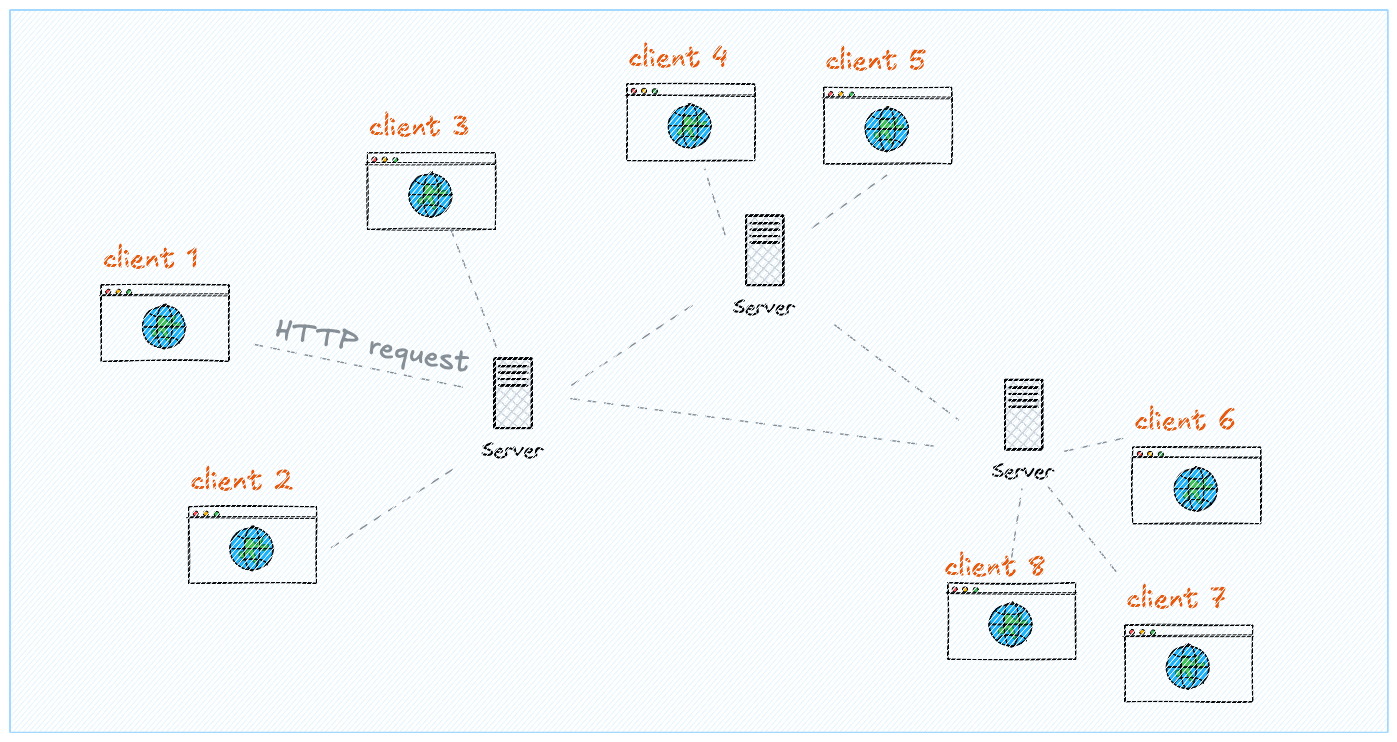
Internet: a web of computers


The internet is essentially a global network of interconnected computers communicating with each other.

Understanding how it works will help you become a better web developer.

Members only
4 minutes read

What happens when you type a URL?

You open your browser, type google.com, and press Enter. A page appears in milliseconds. But behind that simple action, an incredible chain of events happens across the globe.

Understanding this process will make you a much better developer. You'll know why things break, where to look for problems, and how to build faster websites.

Let's trace the journey of a web request, step by step.

IP Addresses: Every Computer Has an Address

Every device connected to the internet has a unique address called an IP address. It looks like this:

142.250.80.46

That's Google's address. When your computer wants to "visit Google," it needs to know this number to find the right server among billions of devices.

Think of it like a postal address. To send a letter, you need to know exactly where to send it. IP addresses work the same way for data.

Try it yourself! Open your terminal and type ping google.com. You'll see the IP address your computer uses to reach Google.

DNS: The Phonebook of the Internet

Nobody wants to remember 142.250.80.46. We want to type google.com. That's where DNS (Domain Name System) comes in.

DNS is like a giant phonebook that translates human-friendly names into IP addresses:

google.com142.250.80.46

When you type a URL, here's what happens:

  1. Your browser asks: "What's the IP for google.com?"
  2. The request goes to a DNS server (usually run by your internet provider)
  3. The DNS server looks it up and responds with the IP
  4. Now your browser knows where to send the request

Domain names are the human-readable addresses you buy (like mysite.com). When you "point a domain" to a server, you're creating a DNS record that says "this name = this IP."

Clients & Servers

The internet is built on a simple concept: clients ask, servers answer.

  • Client = your browser (Chrome, Firefox, Safari). It asks for web pages.
  • Server = a computer somewhere that has the website. It sends back the files.
Client server model showing browser making request and server responding

The client-server model: your browser requests, the server responds.

Servers are just computers. There's nothing magical about them. They're regular computers running special software that listens for requests and sends back responses. The main difference? They run 24/7 and are connected to very fast internet.

HTTP: How Computers Talk

When your browser talks to a server, they need to speak the same language. That language is HTTP (HyperText Transfer Protocol).

HTTP defines two things:

1. Requests (what you ask for)

Every request includes:

  • Method — what you want to do (GET = read, POST = send data)
  • URL — what resource you want
  • Headers — extra info (browser type, cookies, etc.)
  • Body — data you're sending (for POST requests)

2. Responses (what you get back)

Every response includes:

  • Status code — did it work?
  • Headers — metadata about the response
  • Body — the actual content (HTML, images, JSON, etc.)

Status Codes You'll See Constantly

CodeMeaningWhen you see it
200OKEverything worked!
301Moved PermanentlyPage moved to a new URL
404Not FoundThe page doesn't exist
500Server ErrorSomething broke on the server

HTTPS: The Secure Version

Notice the https:// in URLs? The "S" stands for Secure. HTTPS encrypts all data between your browser and the server, so nobody in between can read it.

That padlock icon in your browser? It means HTTPS is active. Today, there's no reason to use plain HTTP — always use HTTPS.

URLs Explained

URLs are more structured than they appear. Every part has a meaning:

https://shop.example.com:443/products/shoes?color=red&size=10#reviews
https:// — Protocol
shop — Subdomain
example.com — Domain
:443 — Port (usually hidden)
/products/shoes — Path
?color=red — Query parameters
#reviews — Fragment (anchor)

You'll work with paths and query parameters constantly when building web apps. They're how you create different pages and pass data around.

The Browser: Your Window to the Web

The browser is the client that makes all this work. When it receives a response from a server, it has to:

  1. Parse HTML — understand the structure of the page
  2. Parse CSS — understand how to style it
  3. Execute JavaScript — make it interactive
  4. Render — paint pixels on your screen

All browsers (Chrome, Firefox, Safari, Edge) do the same thing. They all understand HTML, CSS, and JavaScript — the three core languages of the web.

DevTools are your best friend. Press F12 (or Cmd+Option+I on Mac) to open DevTools. The Network tab shows every request your browser makes — you can see exactly what's being sent and received.

Static vs Dynamic Websites

This is a crucial concept. Websites fall into two categories:

Static Websites

Same files for everyone. The server just sends pre-made HTML, CSS, and JS files. Like handing out photocopies — everyone gets the same thing.

  • Fast and simple
  • Easy to host (just files)
  • Examples: portfolios, documentation, blogs

Dynamic Websites

Generated on demand. The server runs code to build each page based on who's asking. Like a restaurant kitchen — each order is made fresh.

  • Personalized content (your feed, your cart)
  • Can read/write to databases
  • Examples: Facebook, Amazon, Gmail
Static vs dynamic websites comparison

Static sites serve the same files. Dynamic sites generate pages on the fly.

Most modern sites are a mix. The "shell" of the page might be static, but data is loaded dynamically via JavaScript. That's exactly what React does!

Frontend vs Backend

Web development is split into two worlds:

Frontend

Runs in the browser

  • HTML, CSS, JavaScript
  • What users see & interact with
  • React, Vue, Angular

Backend

Runs on the server

  • Node.js, Python, Ruby, Go
  • Business logic, security
  • Database access, authentication

React is frontend. It runs in the browser. But it can connect to any backend to get data. That's where APIs come in.

APIs: How Frontend Talks to Backend

An API (Application Programming Interface) is a way for programs to communicate. For web development, it usually means: a list of URLs that return data instead of web pages.

Instead of returning HTML, an API returns JSON — a data format that's easy for code to read:

// Request: GET https://api.weather.com/london

// Response:
{
  "city": "London",
  "temperature": 18,
  "condition": "Cloudy"
}

Your React app will constantly fetch data from APIs. You ask for data, receive JSON, and display it to users.

Databases: Where Data Lives

APIs get their data from databases. A database is just organized storage — a place to save and retrieve information.

Common types:

  • SQL databases (PostgreSQL, MySQL) — data in tables, like spreadsheets
  • NoSQL databases (MongoDB, Firebase) — data in documents, like JSON files

The typical flow:

User → Frontend → API → Backend → Database
(and back the same way with data)

You won't build databases in this course, but you'll definitely fetch data from them through APIs.

Hosting: Where Your Code Lives

Your website needs to live on a server that's always online. That's called hosting.

Static Hosting (for frontend)

Just serves files. Very simple, very cheap (often free). Perfect for React apps.

  • Vercel — built for React/Next.js, generous free tier
  • Netlify — similar to Vercel, very easy to use
  • GitHub Pages — free, good for simple sites

Server Hosting (for backend)

Runs your code (Node.js, Python, etc.). More complex and costly.

  • Railway, Render — easy to start
  • AWS, Google Cloud — powerful but complex
  • VPS (DigitalOcean, Linode) — full control, more work

For this course, you'll use static hosting (Vercel or Netlify). It's free and takes about 30 seconds to deploy a React app.

CDNs: Making Websites Fast Worldwide

Problem: your server is in New York, but your user is in Tokyo. Data has to travel across the Pacific Ocean. That takes time.

Solution: CDN (Content Delivery Network). A CDN copies your files to servers all around the world. Users get files from the nearest server.

CDN network showing servers distributed globally

CDNs distribute your content globally. Users connect to the nearest server.

Popular CDN providers:

  • Cloudflare — free tier, also provides security (blocks attacks)
  • AWS CloudFront — Amazon's CDN
  • Vercel/Netlify Edge — built into these hosting platforms

Good news: when you deploy to Vercel or Netlify, you get a CDN automatically.

Caching: Why Pages Load Faster the Second Time

Caching means saving a copy of something so you don't have to fetch it again. It happens at multiple levels:

  • Browser cache — your browser saves images, CSS, JS locally
  • CDN cache — CDN servers remember responses
  • Server cache — servers save expensive computations

This is why websites load faster on repeat visits — your browser already has most of the files.

Cookies & Local Storage: Remembering You

HTTP is stateless. Each request is independent — the server doesn't remember previous requests. So how does a website know you're logged in?

Cookies

Small pieces of data that your browser sends with every request. The server sets them, and they're automatically included in future requests.

  • Used for: authentication, tracking, preferences
  • Sent to server automatically
  • Can expire after a set time

Local Storage

Data saved in your browser. Unlike cookies, it's not sent to the server — it stays local.

  • Used for: saving preferences, caching data locally
  • Bigger storage limit than cookies
  • Stays until you clear it

Putting It All Together

Let's trace what happens when you visit twitter.com:

  1. You type the URL → browser asks DNS for Twitter's IP address
  2. DNS responds → browser now knows where to send the request
  3. Browser sends HTTP request → goes through CDN, reaches Twitter's server
  4. Server checks your cookies → recognizes you're logged in
  5. Server queries database → gets your personalized feed
  6. Server sends HTML + JSON → browser starts rendering
  7. Browser parses HTML, CSS, JS → React takes over
  8. React fetches more data via APIs → updates the page dynamically
  9. You see your Twitter feed!
Complete request flow from browser to server and back

The complete journey of a web request. This happens in milliseconds.

Why This Matters for React

As a React developer, you'll work mostly on the frontend. But understanding the full picture helps you:

  • Debug effectively — Is the problem in your code, the API, or the network?
  • Build faster apps — Use caching, optimize requests, leverage CDNs
  • Communicate with backend developers — Speak the same language
  • Deploy confidently — Understand where your code runs

You don't need to memorize every detail. But having this mental model will make everything else click faster.

Oh no! 😱

This lesson is not ready yet.

But we're working hard on it, releasing 1-2 lessons per week. If you're a student, check the discord channel for announcements! (discord logo logo above. )

🙇