Version control: Git + GitHub
Git is a version control system that tracks changes in your code. GitHub is where developers store and collaborate on projects.
These tools are essential for any developer. Let's learn the basics.
🥴 The problem
You now have a folder on your computer with the code for a small website. That's great! But there are a few problems:
🔥 Safety → What if your computer crashes? Your code only lives on your hard drive right now. That's risky.
✉️ Sharing → How do you share your project with someone? Zipping a folder and emailing it? That doesn't scale.
🦕 History → What if you break something and want to go back to the version that worked? Right now, you can't.
🤝 Collaboration → What if someone wants to contribute to your project? There's no way for them to do that cleanly.
🛜 Deployment → Your website needs to live somewhere on the internet if you want people to see it!
✅ The solution: Git & GitHub
GitHub is a code hosting platform — and it solves all the problems above.
Your code is backed up in the cloud (safety), anyone can access it through a URL (sharing), every change you've ever made is recorded (history), and others can suggest changes through pull requests (collaboration).

You've probably seen this logo before! GitHub's mascot is the Octocat — a cute octopus-cat hybrid.
GitHub isn't some niche tool. It's used by millions of developers every single day. If you work with code, you cannot afford to ignore it.
🩻 Anatomy of a GitHub profile
When you create an account on GitHub, you get a profile page. Here's mine — it looks something like this:
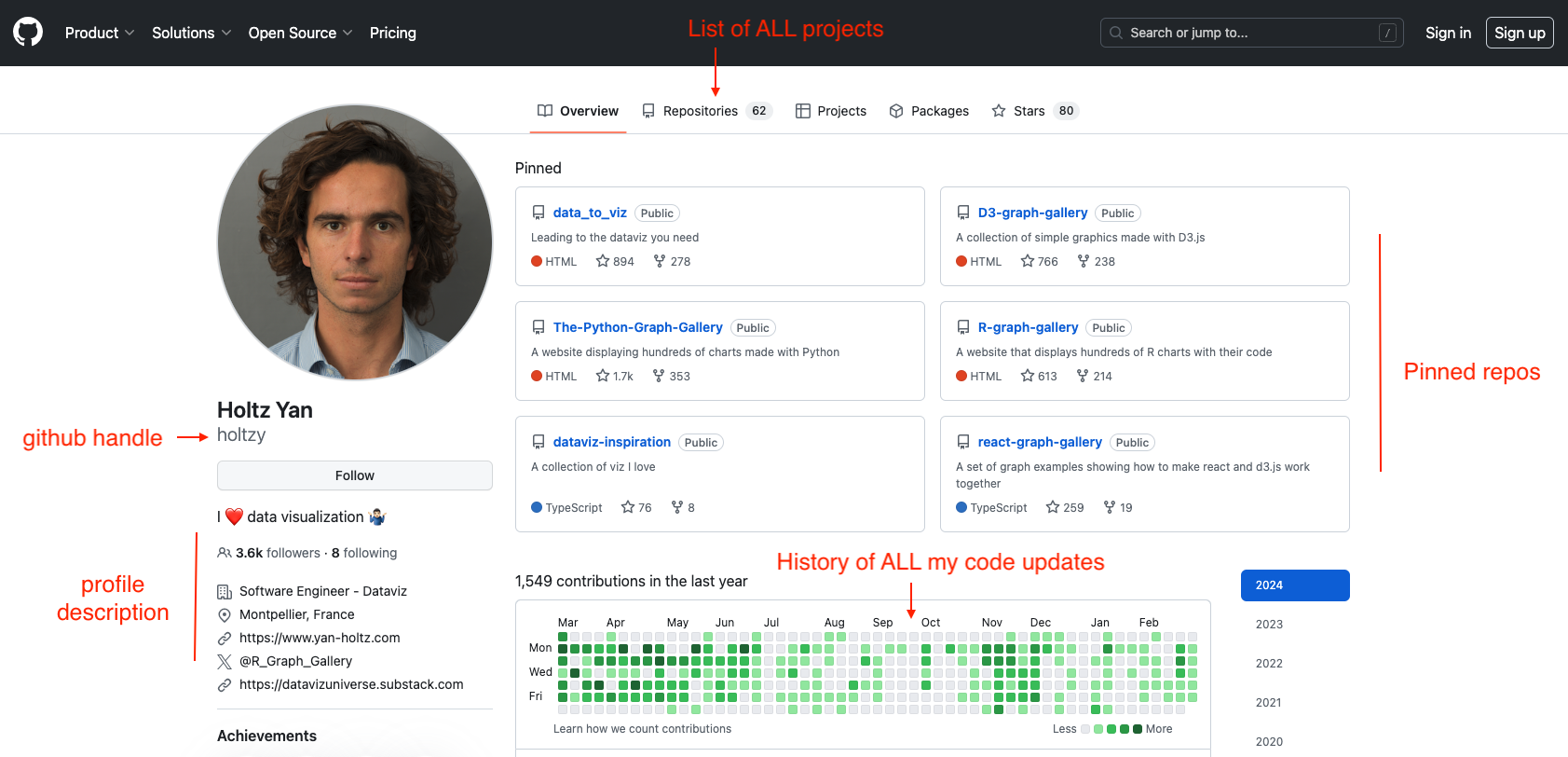
Your GitHub profile page is as important as your LinkedIn, treat it with care!
Besides a profile picture and some general info, a GitHub profile is essentially a collection of repositories (or "repos").
But what's a repo? 🙈
A repository is just a folder that lives on GitHub. Take the website folder we've been building — upload it to GitHub and it becomes a repo. That's it.
Here's an example: the repository for my Data To Viz website. It looks like this:
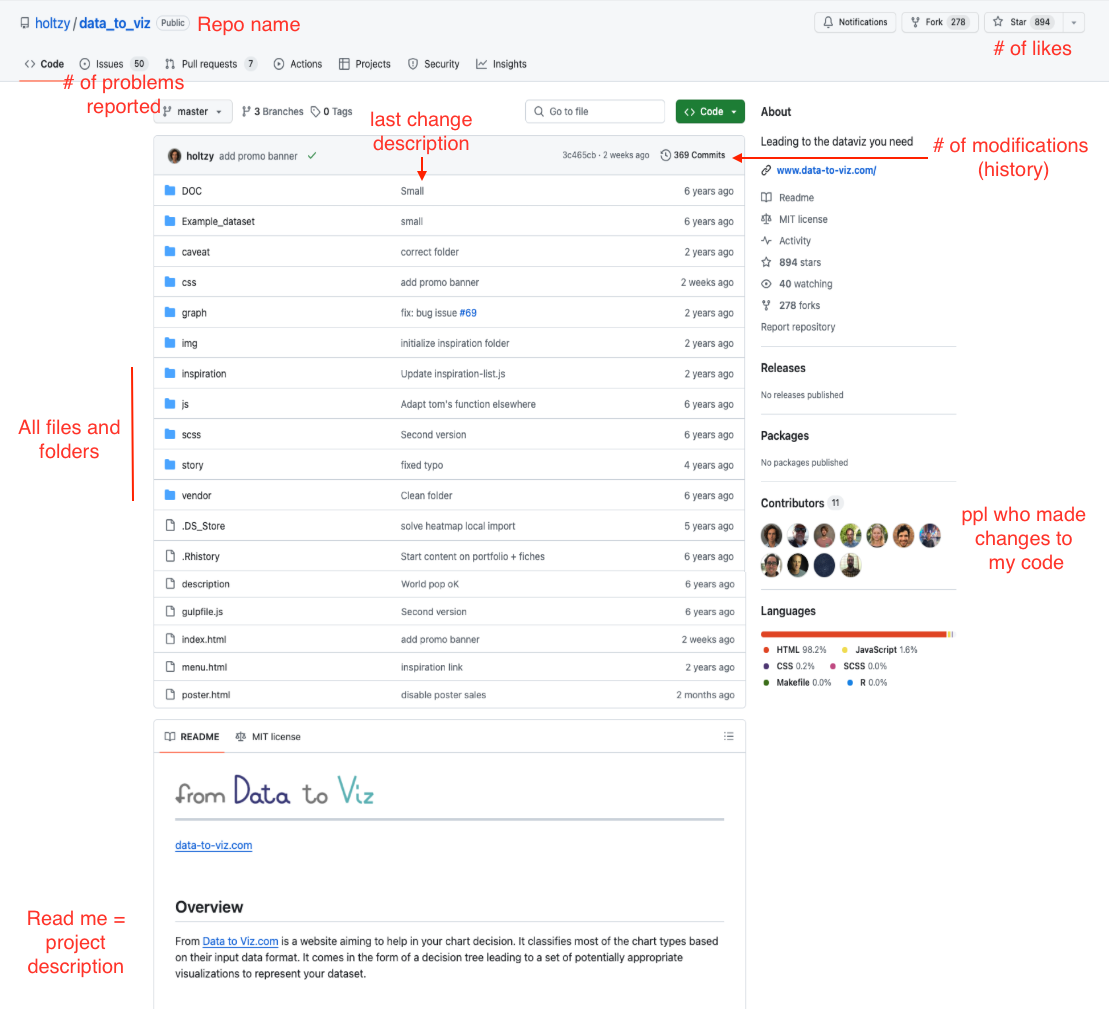
A GitHub repository is just a folder with your project code that you put on GitHub!
Workshop
Now that you get the idea, let's set you up!
If you don't have a GitHub account yet, do the following:
Let Github guide you through the creation process.
You'll keep your Github ID for the rest of your life → Opt for something timeless and enduring!
Add a picture, fill your details, visit your profile. Make yourself at home! 🏠
Oh no! 😱
It seems like you haven't enrolled in the course yet!
This is a lesson from the D3 ❤️ React course, where you learn to create bespoke, interactive graphs with d3.js and React.
Or Login