Alternative: use d3 helper
The previous lessons taught us how to build React axis components that can be used in any of your charts.
However, there's an alternative worth mentioning: D3 can also draw axes. Let's explore this option and see which one works best for you.
The d3-axis module
D3 has a dedicated module for drawing axes: d3-axis.
It does essentially the same thing as the AxisBottom and AxisLeft components we built in the previous lessons: it takes a scale and renders lines, ticks, and labels on the screen.
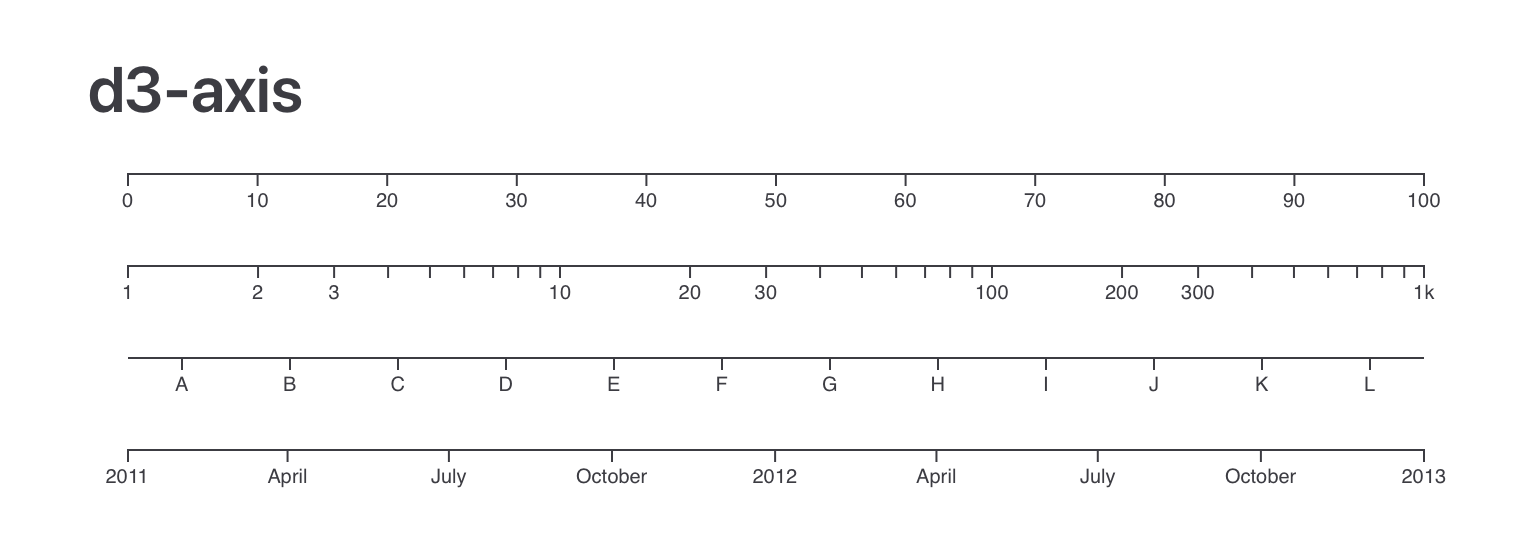
A few axes made with d3.js and its d3-axis module.
Wait — D3 for rendering?
In the first module we established a clear rule: D3 handles the math, React handles the rendering.
Drawing an axis is definitely a rendering job, so why mention a D3 module that does rendering?
Because it is possible to let D3 draw directly inside a React app. This is what people did in the early days of React, and it's still what you'll see in many tutorials online.
To make it work, we need two React concepts: useEffect and useRef.
Introducing useEffect()
useEffect lets you run code after a component has rendered. You give it a function and a list of dependencies — React calls that function whenever the component mounts or when one of those dependencies changes.
A common use case is syncing with something outside of React, like updating the document title:
useEffect(() => {
  document.title = "New page title";
}, []); // empty array = run once after mount
In practice, you'll rarely need useEffect in a well-designed React app. Most things can be expressed as pure rendering. But when you need to interact with the DOM directly — which is exactly what D3's axis module does — it's the right tool.
A quick demo of useEffect in action: how it runs after render and reacts to dependency changes.
Introducing useRef()
useRef creates a persistent reference that survives re-renders. Its most common use is getting a direct handle to a DOM element — a bit like document.getElementById(), but the React way.
You create a ref, then attach it to a JSX element via the ref attribute. After the component renders, the ref's .current property points to the actual DOM node:
const myRef = useRef(null);

return <div ref={myRef}>Hello</div>;

// After render: myRef.current is the <div> DOM element
This is how we'll give D3 access to a specific part of the SVG — we create a ref, attach it to a <g> element, and let D3 draw into it.
Using useRef to target a DOM element and modify it inside a useEffect.
Oh no! 😱
It seems like you haven't enrolled in the course yet!
This is a lesson from the D3 ❤️ React course, where you learn to create bespoke, interactive graphs with d3.js and React.
Or Login