File formats
Data does not always come as JSON.
.csv, .xlsx, GeoJSON, and other formats are everywhere and that's ok. Let's see how to load each of them.
JSON: your best friend
Data on the web comes in many flavors. One of them is much friendlier than the rest: JSON.
.csv. But trust me, .json will soon make a lot of sense to you!If you have any say about the format of your data, ask for JSON. It is the format of the web, the format most APIs already return, and the easiest one to use in a JavaScript app.
→ What is JSON?
JSON stands for JavaScript Object Notation. It is a plain text format that looks almost exactly like a JavaScript object:
{
  "country": "France",
  "value": 9,
  "regions": ["Île-de-France", "Bretagne"]
}
The web is full of services that produce JSON. Most public APIs (OpenWeather, GitHub, NASA, Wikipedia, ...) speak JSON natively.
→ Visualize a json?
If you want to explore a JSON file one visually, paste it into ToDiagram.
It renders any JSON as a graph of nested objects, which is great for spotting the shape of an unfamiliar dataset.
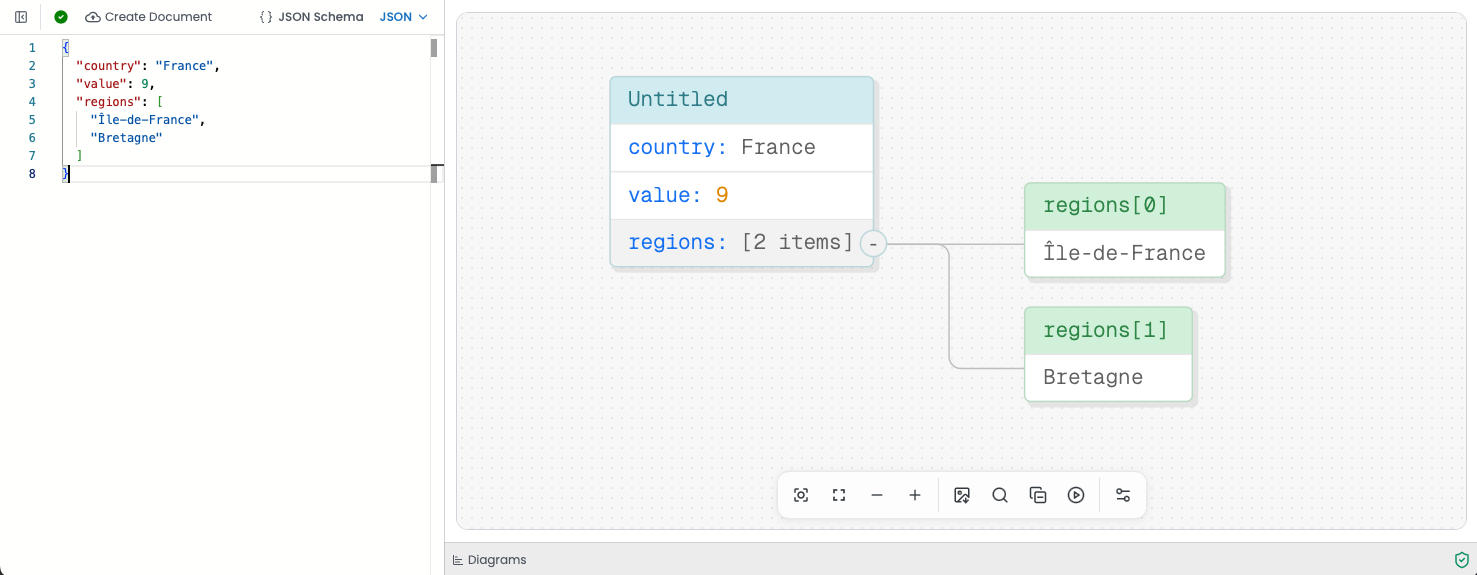
A JSON file visualized with ToDiagram.
→ Using JSON in a React app?
Since JSON is just text shaped like a JS object, getting it into your code is easy. You have two main options.
Oh no! 😱
It seems like you haven't enrolled in the course yet!
This is a lesson from the D3 ❤️ React course, where you learn to create bespoke, interactive graphs with d3.js and React.
Or Login